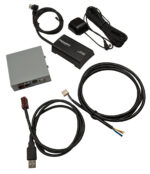
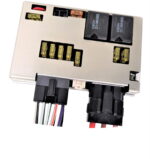
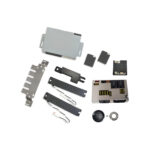
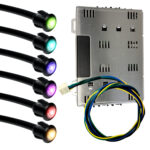
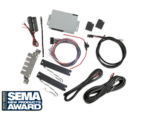
SoundLinQ (Model SLI) - Auxiliary Input Adapter with Apple® iPod™ interface

(fits most Toyota/Lexus vehicles 2001-2009)

Our SLI adapter allows you to have one universal audio Auxiliary input (uncontrolled source) and one audio input dedicated to integrate your Apple® iPod™ directly into Toyota/Lexus OEM audio system (controlled source).
You can now listen and control your iPod™ through the vehicle's head unit and audio steering wheel controls. No more Cassette Adaptors, FM Transmitters, or Cigarette Lighter Chargers. Enjoy the clear, genuine high quality sound through your factory audio system.
SLI provides direct Plug-and-Play connection to Toyota/Lexus OEM audio system and supports vehicles with and without Navigation system.
Lexus iPod™ integration via MD changer emulation

Lexus GX470 iPod™ integration
MD changer emulation mode


Our unique technology allows you to keep all factory installed components (such as 6-disc CD changer, CD/DVD changer). When you connect SLI to the audio system, Toyota/Lexus recognizes it as an additional CD, MD or CD-MP3 changer.

Emulation modes

Audio AUX Input is universal auxiliary input and it enables you to connect uncontrolled Audio aftermarket equipment such as Satellite Radio Receiver, MP3 player, MiniDisc player/changer and etc. This source provides NO control over added aftermarket equipment. Added equipment operates through the factory Audio system and can only be controlled by its own controls.

Audio input dedicated for Apple® iPod™ can only be used for iPod™ integration. Control of iPod™ is done through your head unit or the steering wheel controls. SLI supports both third and fourth generation of iPod™ and iPod™ Mini.

To switch between the SLI sources you need to use "DISC" or "CD" button on the head unit (Diagram below assumes factory CD changer is present).

Source Selection diagram


If your vehicle is equipped with a factory steering wheel control you will be able to switch between the SLI sources using "MODE" button on the steering wheel.
(Diagram below assumes factory CD changer is present).

Source Selection diagram


[TRACK+] and [TRACK-] - Select desired track (song).
[DISC+] and [DISC-] - Select desired playlist.


CD Changer emulation mode CD-Text support for Radio integrated into Navigation System

iPod™ - CD emulation mode
(for Radio integrated into Navigation System)
Suports up to 99 songs in the playlist
and up to 99 playlists


iPod™ - CD emulation mode with CD-Text support
(for Radio integrated into Navigation System)
Suports up to 99 songs in the playlist
and up to 99 playlists


RX330 CD-Text Camry 2007 CD-MP3-Text

iPod™ - CD emulation mode with CD-Text support
(for Radio with own LCD)
Suports up to 99 songs in the playlist
and up to 99 playlists


iPod™ - CD-MP3 emulation mode with
CD-Text support

Supports up to 999 songs in the playlist
and up to 999 playlists


GX470 MD changer emulation (now supports 999 songs in the playlist)

iPod™ - MD changer emulation
now supports 999 songs in the playlist
and up to 99 playlists


Supported iPod Models:


Key Features:
  • Auxiliary Audio input (RCA)
  • Audio input dedicated for iPod™ integration
  • Audio Source selection and iPod™ controls via OEM Radio or
  • Steering Wheel Controls *
  • Artist/Song info displayed on the Navigation screen or Radio display **
  • Track info displayed on the Navigation screen or Radio display
  • Charging iPod battery while driving
  • True Plug & Play solution
  • Dimensions: 3-1/8"W x 1-5/16"H x 5-1/4"D (mounting bracket not included)
  • Made in USA
  • Warranty: 1 year

*       Some functional limitations could apply depending on the Lexus model
**     Available ONLY for the Lexus models with Radio supports MD Changer with MD-Text or CD Changer with CD-Text

SoundLinQ SLI KIT


MSRP $269.99
Sale Price $249.99


Item includes:
SoundLinQ SLI unit
Audio Harness
iPod™ interface harness
Operation Manual
Installation Manual
1 year Limited Warranty

Prices are subject to change without notice


  Please refer to our Application guide for additional information.


For more information about our products please visit our Frequently Asked Questions page or contact Customer Service department


You can download SoundLinQ SLI Installation/Operation Manual rev 4.0


Please see SLi, SL2i, SL2Vi and VML (MultiMediaLinQ) comparison chart


Order processing may take 1-3 days.


Copyright © 2003-2008 VAIS Technology